Rename
The "rename" command allows to change the name of all selected files. By default, each file name is requested sequentially, but there is also a regular expression mode which allows to change all names according to the regular expression and its replacement.
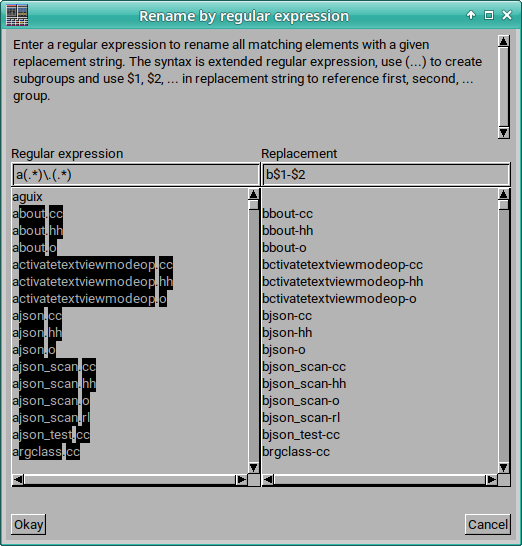
In the regular expression mode, a dialog appears showing all selected files. A regular expression and replacement string can be entered and the result is shown directly on the second list view. The regular expression syntax are extended regular expressions. The replacement string can reference subgroups created by parentheses "(...)" by $n for the n-th group, or $0 for the complete matched file name. File names which do not match the regular expression, are not renamed.
Command options
The command supports the following configuration options:- Pre-select file name including its extension: The rename dialog pre-selects the file name so a new name can be entered directly. This option defines whether only the file name without the extension is selected or everything.
- Regular expression rename mode: Use a regular expression to rename all selected files matching it.
- Request these flags: Query the options during runtime.